Money can leave your account in dozens of small ways: card purchases, automatic renewals, cash spending, delivery fees, and bills spread across different accounts. By the end of the month, the total may be much higher than expected, even when no single purchase seemed significant.
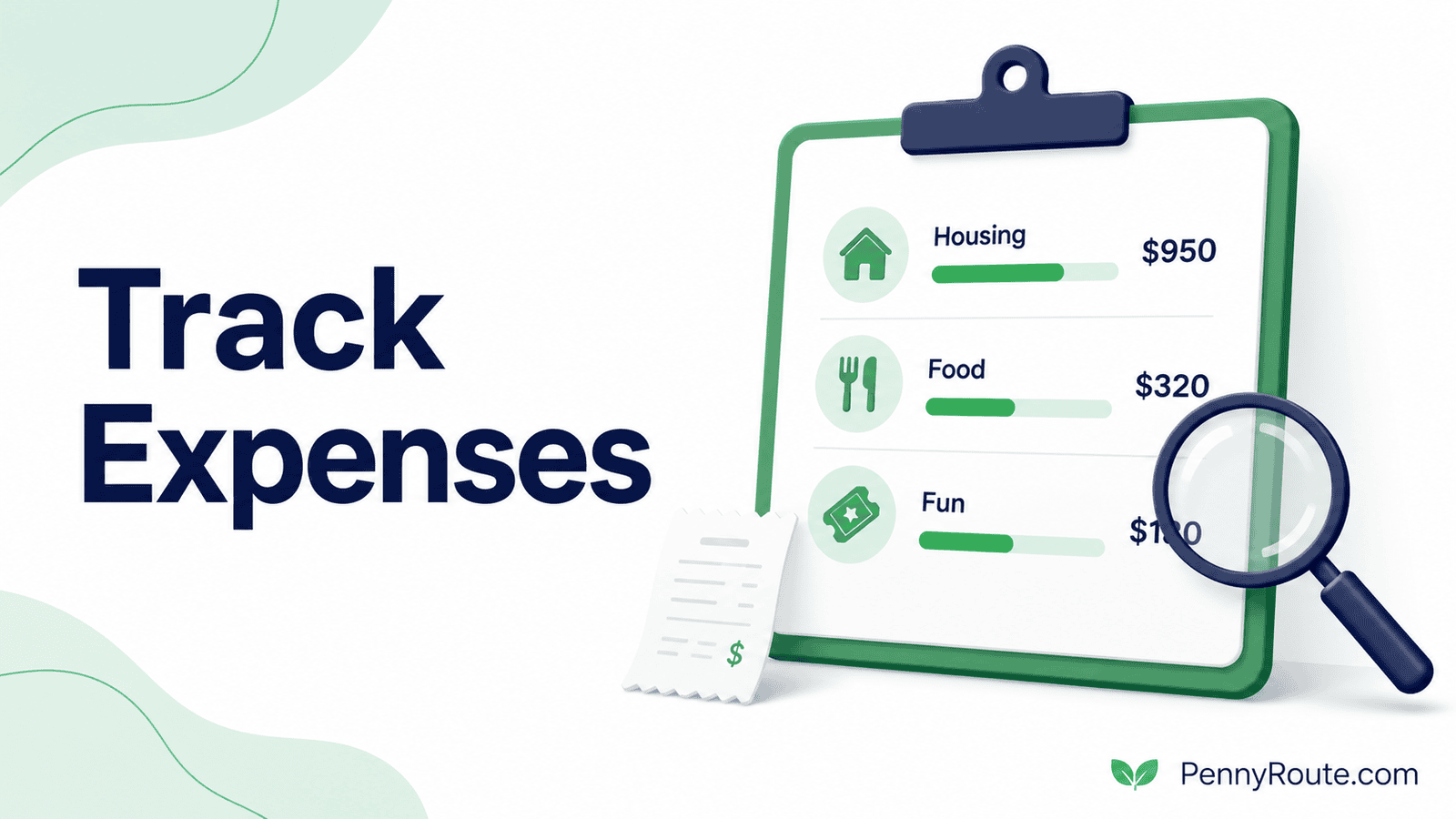
Learning how to track your expenses gives you a complete view of what you are spending and where adjustments may have the greatest effect. It can help you catch recurring charges, plan for irregular costs, and make budget decisions using real numbers instead of estimates.
The system does not need to record every detail perfectly from day one. It needs to be simple enough that you can keep using it and accurate enough to show what is happening with your money.
Disclaimer: This content is for informational purposes only and does not constitute financial advice. Please consult a qualified professional before making financial decisions.
Quick Overview
- Choose one place to record expenses, such as a notebook, spreadsheet, or app.
- Include purchases from every bank account, credit card, digital wallet, and cash source.
- Use a small set of categories that are easy to maintain.
- Record spending when it happens or review transactions at a consistent weekly time.
- Separate purchases from transfers, refunds, and credit card payments.
- Review the totals to find recurring charges, irregular costs, and categories that need attention.
What Does It Mean to Track Your Expenses?
Tracking your expenses means recording where your money goes over a set period, usually by day, week, or month.
This includes more than major bills. A complete record may include:
- Grocery and household purchases
- Rent, utilities, and insurance
- Credit card purchases
- Cash spending
- Subscriptions and automatic renewals
- Transportation costs
- Fees, tips, and delivery charges
- Irregular expenses such as repairs or gifts
Expense tracking shows what already happened. A budget, by comparison, sets a plan for how you intend to use your money.
For example, your budget might allow $450 for groceries. Your expense tracker shows whether you actually spent $410, $450, or $525 during the month.
That difference matters because future budget decisions are more useful when they are based on actual spending rather than rough estimates.
Choose Your Expense-Tracking Method
The best method is the one you can update consistently. A detailed system is not useful if it takes so much effort that you stop using it after a few days.
Notebook or Notes App
A notebook or phone notes app works well when you prefer to record purchases manually.
You can write down:
- Date
- Purchase
- Category
- Amount
- Payment method
This approach is simple and private, but you will need to calculate totals yourself and remember to record cash purchases.
Spreadsheet
A spreadsheet gives you more structure without requiring a dedicated budgeting app.
You can create columns for:
| Date | Description | Category | Payment Method | Amount |
|---|---|---|---|---|
| July 3 | Grocery store | Groceries | Debit card | $64.20 |
| July 4 | Coffee | Dining out | Cash | $4.75 |
| July 5 | Streaming service | Subscriptions | Credit card | $12.99 |
Formulas can total spending by category, week, or month. A spreadsheet is especially useful when you want control over your categories and do not mind entering transactions manually.
Expense-Tracking or Budgeting App
An expense-tracking app may connect to your financial accounts and import transactions automatically. This can reduce manual entry, especially when you use several cards or accounts.
However, imported transactions still need review. An app may place a grocery purchase in “Shopping,” count a transfer as spending, or miss the purpose of a cash withdrawal.
Automatic tracking saves time, but it does not remove the need to check the records.
Bank and Credit Card Statements
Statements can work as a basic tracking method when most purchases are made electronically.
Review each account and place transactions into categories. This method is useful for looking back at past spending, but it may not provide a complete picture until the statement period closes.
Cash purchases and spending across multiple accounts also require separate records.
Which Method Should You Choose?
| Method | Best for | Main limitation |
|---|---|---|
| Notebook or notes app | Simple manual tracking | Totals require more work |
| Spreadsheet | Custom categories and detailed review | Transactions must be entered |
| Tracking app | Automatic imports across accounts | Categories may need correction |
| Account statements | Reviewing past electronic spending | Cash and recent purchases may be missing |
You can also combine methods. For example, an app can import card transactions while a phone note captures cash spending until your weekly review.
What Counts as an Expense?
An expense is money spent on goods, services, bills, fees, or financial obligations. However, not every transaction leaving an account should be counted as new spending.
Knowing the difference helps you avoid overstating your monthly expenses.
Purchases
A purchase counts as an expense when you pay for something you use or consume.
Examples include:
- Groceries
- Fuel
- Clothing
- Restaurant meals
- Household supplies
- Entertainment
- Medical costs
Record the expense when the purchase occurs, regardless of whether you use cash, a debit card, or a credit card.
Bills and Recurring Charges
Regular bills also count as expenses.
These may include:
- Rent or mortgage payments
- Utilities
- Insurance premiums
- Phone and internet service
- Streaming subscriptions
- Childcare
- Membership fees
Automatic payments are easy to overlook because they do not require a new decision each month. Include them in the same tracker as everyday purchases.
Credit Card Purchases and Payments
Record each credit card purchase as an expense when the transaction occurs.
Do not count the full credit card payment as another expense if those purchases are already in your tracker. Doing so would count the same spending twice.
Interest and account fees are separate expenses and should be recorded when charged.
Loan Payments
Loan payments usually contain more than one part:
- Principal reduces the amount you owe.
- Interest is the cost of borrowing.
- Fees may be charged separately.
For a simple household tracker, you may record the full required payment under “Debt payments.” A more detailed tracker can separate principal, interest, and fees when that information is useful.
Transfers Between Your Accounts
Moving money between accounts is not usually an expense.
Examples include:
- Checking to savings
- Checking to an investment account
- One bank account to another
- A credit card payment for purchases already recorded
Label these transactions as transfers so they do not inflate your spending totals.
Savings Contributions
Saving money is not consumption spending, but it should still appear in your broader cash-flow plan.
You can classify it as:
- Savings
- Emergency fund
- Retirement contribution
- Sinking fund
- Investment contribution
Keeping it separate from ordinary expenses makes it easier to see both how much you spent and how much you set aside.
Cash Withdrawals
A cash withdrawal is not automatically an expense.
Record the actual purchases made with the cash. For example, withdrawing $100 does not mean you spent $100 that day if part of the money remains in your wallet.
When detailed cash tracking is difficult, you can use a temporary “Cash spending” category and improve the records during your weekly review.
Refunds and Returns
A refund should usually reduce the category where the original purchase was recorded.
For example, if you return a $40 item from the clothing category, subtract $40 from clothing spending rather than treating the refund as income.
Reimbursements
Reimbursements require a consistent approach.
Suppose you pay $90 for a group meal and receive $60 back from other people. You can either:
- Record the full $90 expense and the $60 reimbursement separately, or
- Record your final share of $30
The second option gives a cleaner picture of your personal spending. The first provides a fuller transaction history. Use the same method each time.
Business Expenses
Keep business and personal expenses separate whenever possible.
A dedicated business account, card, or tracking category can make recordkeeping easier. Business costs may have accounting or tax implications, so detailed records may be necessary beyond a personal expense tracker.
How to Track Your Expenses Step by Step
Once you choose a tracking method, set up a routine that captures spending from every source. The process should be detailed enough to be useful without becoming difficult to maintain.
1. Choose a Tracking Period
Start with one full month whenever possible. A monthly view captures regular bills, variable spending, subscriptions, and expenses that may not appear every week.
You can still review the records weekly, but keep the same monthly period for your totals.
2. Gather Every Account and Payment Source
List all the places you use to spend money, including:
- Checking accounts
- Credit cards
- Digital wallets
- Payment apps
- Cash
- Store cards
- Buy now, pay later accounts
Missing one account can make a spending category look lower than it really is.
3. Record Each Transaction
For every purchase, record at least:
- Date
- Description
- Category
- Payment method
- Amount
A short note may also help when the transaction name is unclear. For example, a charge labeled with a company name may actually be for groceries, fuel, or household supplies.
4. Assign Each Expense to a Category
Place each transaction into a consistent spending category. Start with broad labels, then divide a category only when the added detail will help you make a decision.
A later section explains how to build and maintain a practical category system.
5. Separate Purchases From Money Transfers
Not every transaction leaving an account is an expense.
For example:
- Moving $300 from checking to savings is a transfer.
- Paying a credit card bill is usually a transfer between accounts if the original purchases were already recorded.
- Receiving a refund reduces or reverses earlier spending.
- Withdrawing cash is not the expense itself. The expense occurs when the cash is used.
Separating these transactions prevents double-counting.
6. Review and Correct the Records
Check imported or manually entered transactions at least once a week.
Look for:
- Duplicate entries
- Missing cash purchases
- Incorrect categories
- Refunds that need to be matched
- Transfers counted as spending
- Pending transactions that later changed
A short weekly review is usually easier than correcting an entire month at once.
7. Total Your Spending by Category
At the end of the tracking period, calculate how much you spent in each category.
For example:
| Category | Monthly total |
|---|---|
| Housing | $1,200 |
| Groceries | $465 |
| Dining out | $178 |
| Transportation | $240 |
| Subscriptions | $54 |
| Personal spending | $126 |
These totals show which categories use the largest share of your money and where actual spending differs from your expectations.
8. Compare the Results With Your Income or Budget
Expense tracking becomes more useful when you compare the totals with the money available.
You might discover that:
- a category regularly exceeds its budget
- subscriptions cost more than expected
- irregular expenses need their own monthly amount
- cash spending is higher than your records suggested
- one category has room for a realistic reduction
The purpose is not to criticize every purchase. It is to replace uncertainty with accurate information you can use.
The Consumer Financial Protection Bureau offers a free spending tracker worksheet that you can use to record expenses by category.
How to Categorize Expenses Without Overcomplicating It
A useful system of budget categories should help you compare spending and make decisions without requiring excessive detail.
Use a Simple Starter Category List
A practical setup may include:
| Category | Common expenses |
|---|---|
| Housing | Rent, mortgage, property fees |
| Utilities | Electricity, water, gas, internet, phone |
| Groceries | Food and household basics |
| Dining out | Restaurants, takeout, coffee |
| Transportation | Fuel, transit, parking, maintenance |
| Insurance | Auto, home, renters, health premiums |
| Debt payments | Credit cards, loans, other required payments |
| Health | Prescriptions, appointments, medical supplies |
| Personal spending | Clothing, grooming, hobbies |
| Entertainment | Movies, events, games, streaming |
| Subscriptions | Memberships, apps, recurring services |
| Savings | Emergency fund, sinking funds, other contributions |
| Miscellaneous | Occasional costs that do not fit elsewhere |
You do not need to use every category. Remove those that do not apply and rename others to match your household.
Split a Category Only When the Detail Is Useful
A broad category may need to be divided when the total does not explain what is happening.
For example, you might separate:
- Groceries from household supplies
- Fuel from vehicle maintenance
- Restaurants from coffee and snacks
- Streaming services from other subscriptions
- Personal spending from clothing
The extra detail should answer a real question. If you are not making a separate decision about coffee spending, it does not need its own category.
Decide How to Handle Mixed Purchases
One receipt may include groceries, cleaning supplies, toiletries, and pet food.
You have two reasonable options:
- Place the full purchase in the category that represents most of the total.
- Split the transaction across categories when the amounts are large enough to affect your review.
Consistency matters more than dividing every receipt perfectly.
Keep “Miscellaneous” Under Control
A miscellaneous category is useful for occasional purchases, but it should not become the default for anything that takes a few seconds to classify.
Review it at the end of the month. If the same type of expense appears repeatedly, give it a proper category.
For example, several school-related purchases may justify a “Children” or “Education” category.
Use the Same Category Rules Each Month
Changing categories repeatedly makes monthly comparisons less reliable.
Write down a few simple rules, such as:
- Takeout goes under dining out, not groceries.
- Credit card interest goes under debt costs.
- Household cleaning products stay with groceries.
- Annual memberships go under subscriptions.
You can revise the system when needed, but avoid changing it simply to make one month’s totals look better.
Daily Tracking vs. Weekly Tracking
You do not need to update your expense tracker after every purchase for the system to work. The right schedule depends on how often you spend, how many accounts you use, and how easily you remember cash purchases.
Daily Tracking
Daily tracking works well when you:
- Use cash frequently
- Make several small purchases
- Are building the habit for the first time
- Want a near-real-time view of spending
Recording transactions soon after they happen reduces the chance of forgetting them. The drawback is that daily updates may become tedious if your system requires too much detail.
Weekly Tracking
Weekly tracking may be easier when most transactions appear automatically in bank or credit card accounts.
Choose one consistent time each week to:
- Review recent transactions
- Add cash purchases
- Correct categories
- Match refunds
- Check for duplicate or unfamiliar charges
A weekly routine keeps the tracker current without requiring daily attention.
A Practical Hybrid Routine
For many households, a combined approach works best:
- Record cash purchases and unusual expenses when they happen.
- Let electronic transactions collect during the week.
- Review and categorize everything once a week.
- Calculate final totals at the end of the month.
This routine captures transactions that are easy to forget while keeping the overall workload manageable.
Expense-Tracking Example
A transaction log becomes useful when it shows both where money went and what needs attention.
Suppose you review one week of spending and record:
| Date | Description | Category | Payment method | Amount | Note |
|---|---|---|---|---|---|
| July 6 | Grocery store | Groceries | Debit card | $86.40 | Included household supplies |
| July 7 | Coffee shop | Dining out | Cash | $5.25 | Recorded manually |
| July 8 | Gas station | Transportation | Credit card | $47.10 | Fuel |
| July 9 | Streaming service | Subscriptions | Credit card | $14.99 | Automatic renewal |
| July 10 | Pharmacy | Health | Debit card | $22.60 | Prescription |
| July 11 | Takeout | Dining out | Credit card | $31.75 | Family dinner |
| July 12 | Online return | Personal spending | Credit card | -$28.00 | Refund |
Weekly Category Totals
| Category | Total |
|---|---|
| Groceries | $86.40 |
| Dining out | $37.00 |
| Transportation | $47.10 |
| Subscriptions | $14.99 |
| Health | $22.60 |
| Personal spending | -$28.00 |
| Net spending | $180.09 |
The review reveals more than the total amount.
- The coffee purchase would have been missed without cash tracking.
- The refund correctly reduces personal spending instead of being treated as income.
- Dining out reached $37 from only two purchases.
- The subscription renewed automatically and may need review before the next billing date.
- The grocery receipt included household supplies, which may matter if that category regularly exceeds its budget.
The next step is not automatically to cut every category. It is to identify which totals were expected, which were unusual, and which may require a change in the monthly plan.
How to Review Your Spending
Recording expenses gives you the data. Reviewing the totals helps you decide what to do with it.
A useful review should focus on patterns, not individual purchases in isolation.
Compare Actual Spending With Your Plan
If you use a budget, compare each category total with the amount you planned.
For example:
| Category | Planned | Actual | Difference |
|---|---|---|---|
| Groceries | $450 | $492 | $42 over |
| Dining out | $120 | $86 | $34 under |
| Transportation | $220 | $248 | $28 over |
| Subscriptions | $45 | $58 | $13 over |
The difference does not automatically mean the budget failed. It may show that the original estimate was too low, an irregular expense occurred, or spending changed during the month.
Look for Repeated Small Costs
Small purchases matter most when they appear often.
Review transactions for patterns such as:
- Several convenience-store stops
- Frequent delivery fees
- Multiple app charges
- Repeated ATM fees
- Small online purchases
- Regular takeout orders
The purpose is not to label every small purchase unnecessary. It is to see whether the total matches what you expected.
Check Recurring Charges
Subscriptions and automatic renewals can continue unnoticed because they do not require a new purchase decision.
Review:
- Streaming services
- Software subscriptions
- Memberships
- Cloud storage
- Delivery plans
- Trial offers
- Annual renewals
Reviewing recurring payments can also help you identify subscription creep, where small automatic charges continue even after they stop providing enough value.
Confirm that each charge is still active, correctly priced, and useful enough to keep.
Identify Irregular Expenses
Some costs do not appear every month but are still predictable.
Examples include:
- Car maintenance
- Annual insurance premiums
- School costs
- Gifts
- Medical bills
- Home repairs
- Holiday spending
If these expenses repeatedly disrupt the monthly budget, consider setting aside a smaller amount each month in a sinking fund.
Review Unfamiliar or Incorrect Transactions
Look for charges you do not recognize, duplicate transactions, incorrect amounts, and refunds that never arrived.
Check with the merchant or financial institution promptly when something appears wrong. Some disputes and account protections may have time limits.
Decide What Needs to Change
End the review with one or two specific actions.
For example:
- Cancel an unused subscription
- Increase the grocery budget by $30
- Set aside $50 monthly for car maintenance
- Reduce delivery orders to once a week
- Move an annual bill into a sinking fund
- Create a separate category for pet expenses
A short action list is more useful than trying to change every category at once.
How to Stay Consistent With Expense Tracking
Expense tracking becomes harder when the system takes too long, falls behind, or starts demanding more detail than you actually use. A few practical adjustments can make it easier to continue.
Set a Minimum Routine
Decide what the smallest acceptable version of your tracking system looks like.
For example, your minimum routine might be:
- add cash purchases
- correct obvious category errors
- check for missing or duplicate transactions
- review the main category totals
This keeps the system useful even during a busy week.
Catch Up Without Rebuilding Everything
Missing several days does not require starting the month again.
Use account activity, receipts, and payment-app history to restore the missing transactions. Add what you can verify, mark uncertain items briefly, and continue from the current date.
Simplify the System When It Becomes Difficult
A tracker that takes too long to maintain may need fewer categories, notes, or manual steps.
Remove any detail that does not improve your monthly review or help you make a decision.
Use Reminders Until the Routine Becomes Familiar
A calendar reminder or recurring phone alert can help establish the habit. Once the review becomes part of your normal routine, the reminder may no longer be necessary.
When Expense Tracking Is Not Enough
Expense tracking shows where your money went, but it does not automatically decide what should happen next.
You may have accurate records and still struggle with:
- Spending that regularly exceeds income
- Bills that are difficult to cover
- Debt payments that leave little room for other expenses
- Irregular costs that repeatedly disrupt the month
- Categories that stay over budget despite repeated adjustments
In these situations, tracking is only the first step.
Use the Data to Build or Adjust a Budget
A budget turns past spending into a plan for future income.
Your expense records can help you set more realistic amounts for groceries, transportation, subscriptions, personal spending, and irregular costs.
For example, if three months of tracking show that groceries usually cost around $520, a $400 grocery budget may need revision rather than repeated correction.
Create Separate Plans for Irregular Expenses
Some costs are too large or infrequent to fit comfortably into one month.
A sinking fund can divide expenses such as car repairs, annual insurance, gifts, or school costs into smaller monthly amounts.
Address a Cash-Flow Gap Directly
If essential expenses and required payments are consistently higher than income, categorizing transactions more carefully will not solve the underlying problem.
The next steps may include reducing flexible expenses, reviewing major fixed costs, adjusting payment dates, increasing income, or seeking qualified guidance.
Use Tracking as a Decision Tool
The purpose of tracking is not to create a perfect record of every dollar. It is to give you enough reliable information to make better decisions.
When the data points to a larger budgeting, debt, or income problem, the tracking system has done its job by making that issue visible.
Frequently Asked Questions About Tracking Expenses
What is the easiest way to track expenses?
The easiest method is usually the one that requires the least ongoing effort. You might use a notes app for manual entries, a spreadsheet for more control, or an app that imports transactions automatically. Whichever method you choose, review the records regularly for missing purchases and incorrect categories.
Should I track expenses daily or weekly?
Daily tracking works well for cash purchases and frequent small expenses. Weekly tracking may be more manageable when most transactions appear in your bank or credit card accounts. A hybrid routine can capture cash spending as it happens and review electronic transactions once a week.
How many expense categories should I use?
Start with around 8 to 15 broad categories, depending on your household. Add a separate category only when the added detail will help you understand spending or make a decision. Too many categories can make the tracker harder to maintain.
Do transfers between accounts count as expenses?
Usually not. Moving money from checking to savings or between two bank accounts does not represent new spending. Label it as a transfer so it does not increase your expense total.
How do I track cash spending?
Record cash purchases when they happen using a phone note, receipt, or notebook. Add them to your main tracker during the next review. A cash withdrawal alone should not be treated as an expense unless you are using a simplified cash-spending category.
Should credit card payments count as expenses?
Not if you already recorded each credit card purchase when it occurred. Counting both the purchases and the later card payment would record the same spending twice. Interest and account fees should be tracked separately.
How should I record refunds?
Record a refund as a reduction in the original spending category. For example, a $30 clothing refund should reduce clothing spending by $30 rather than appear as new income.
How long should I track my expenses?
One full month can provide a useful starting point, but three months usually gives a clearer view of recurring spending and irregular costs. Continue tracking if the records help you manage your budget or notice changes in spending.
Can I track expenses without using an app?
Yes. A notebook, phone note, spreadsheet, or review of bank statements can all work. An app may save time, but it is not required for an accurate expense-tracking system.
What should I do after tracking my expenses?
Review your category totals, compare them with your income or budget, and choose one or two specific actions. You might adjust a budget amount, cancel an unused subscription, create a sinking fund, or investigate an unfamiliar charge. The value of expense tracking comes from using the information, not simply recording it.

We cover topics around budgeting, saving, debt, banking, and everyday money decisions. Our focus is on making personal finance easier to understand through clear explanations and examples, while using reliable sources to verify financial information.