A $9 app, a $15 streaming service, and a yearly membership may each look manageable. But when recurring charges continue in the background, the combined cost may grow without much notice.
This gradual increase is known as subscription creep. It does not mean every subscription is a waste of money. The problem begins when recurring charges continue after your needs, habits, or priorities have changed.
A clear subscription review may help you see what you are paying for, what still provides value, and where your budget might have more room.
Disclaimer: This content is for informational purposes only and does not constitute financial advice. Please consult a qualified professional before making financial decisions.
Quick Overview: Subscription Creep
- Review up to 12 months of transactions to catch monthly and annual subscriptions.
- Calculate both the monthly equivalent and annual cost of each service.
- Classify every subscription as keep, downgrade, pause, rotate, cancel, or review later.
- Save cancellation confirmations and check the next statement to make sure billing stopped.
- Repeat the review every few months so recurring costs stay aligned with your current priorities.
What Is Subscription Creep?
Subscription creep is the gradual increase in recurring expenses that continue without regular review. It may happen when a free trial becomes a paid plan, a service raises its price, similar subscriptions overlap, or a membership stays active after you stop using it.
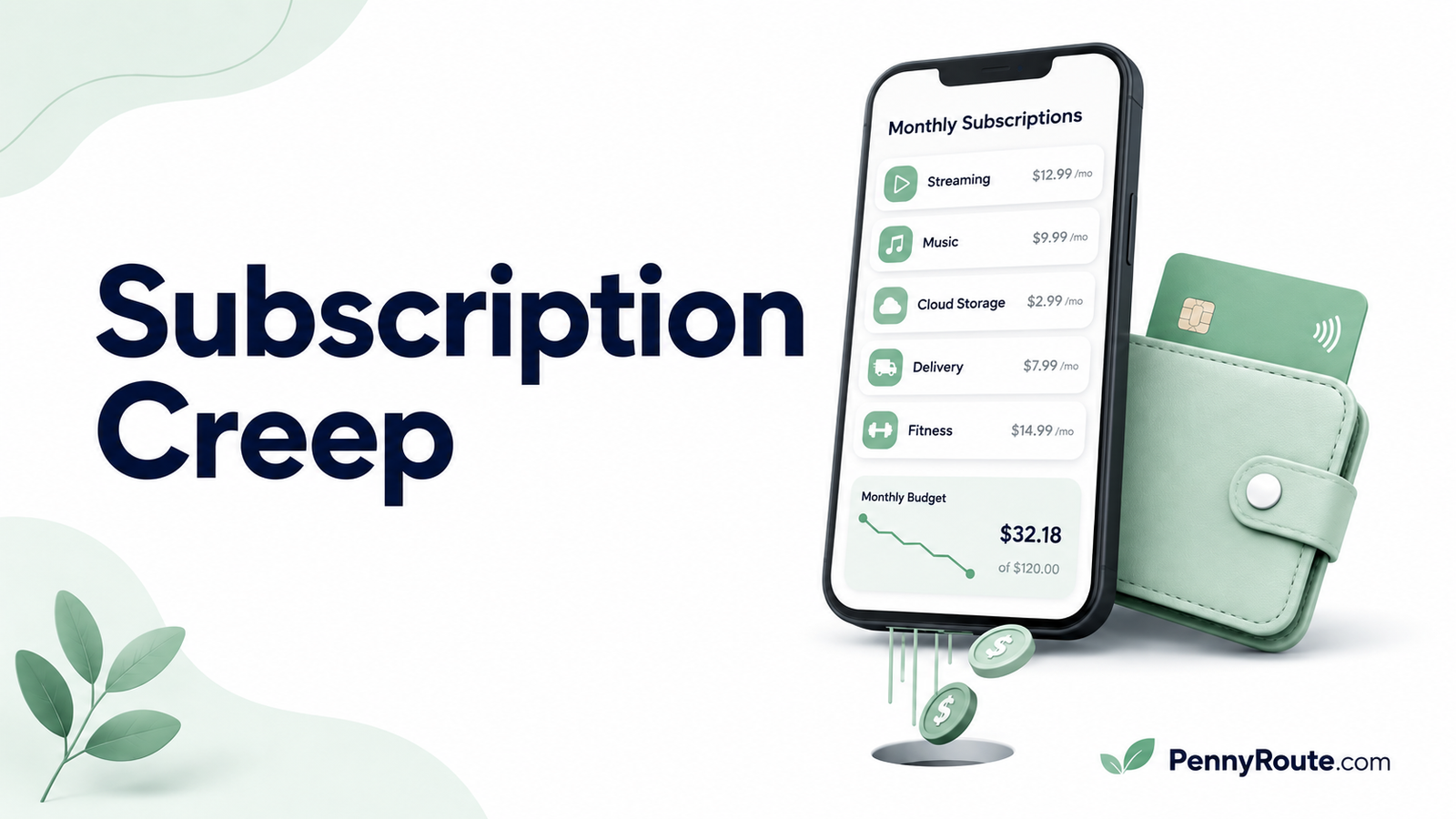
For example, you might start with one $12 streaming service, then add a music app, cloud storage, a fitness membership, and another streaming platform. Each charge may look manageable on its own, but together they create a much larger monthly commitment.
A subscription is not automatically wasteful. Subscription creep happens when recurring spending grows without a deliberate decision.
The issue is less about the number of subscriptions you have and more about whether each one still matches your current needs, usage, and budget.
How Subscription Creep Builds Over Time
Subscription creep rarely comes from one large decision. It usually develops through several small changes that are easy to overlook until the combined cost becomes noticeable.
Free Trials Become Paid Plans
A free trial may seem harmless when you sign up, especially if you only want to test a service. The issue begins when the trial converts to a paid plan, and the charge continues longer than intended.
Before starting a trial, check:
- The date billing begins
- The price after the trial
- Whether the plan renews monthly or annually
- Where the subscription must be canceled
Setting a reminder a few days before the trial ends gives you time to decide whether the service is worth keeping.
Prices or Introductory Rates Change
A subscription may become more expensive even when you do not add a new service. Promotional prices may expire, providers may raise their rates, or optional features may be added to the plan.
That means subscription spending may grow while the number of active subscriptions stays exactly the same.
The Federal Trade Commission’s guidance on free trials and automatic renewals recommends checking renewal terms and confirming whether the amount charged matches what you expected.
Similar Services Begin to Overlap
It is easy to accumulate services that perform similar jobs. You might have:
- Several streaming platforms
- Two cloud storage plans
- Multiple fitness or meditation apps
- Duplicate software subscriptions
- Separate personal and family memberships
Overlap does not always mean one service must go. However, it is worth checking whether each subscription offers something you still use.
Annual Renewals Stay Out of Sight
Monthly charges appear regularly, but annual subscriptions may disappear from view for most of the year. A membership purchased in March may not cross your mind again until the next March renewal appears.
Reviewing only the last one or two statements may miss annual software plans, professional memberships, cloud storage renewals, and yearly app subscriptions.
Checking up to 12 months of transactions gives you a more complete picture. Annual subscriptions are also among the expenses people often forget to budget for because they do not appear every month.
The Subscription Outlasts the Original Need
A service may have been useful when you first joined but less relevant now.
For example:
- A course platform remains active after you finish the course.
- A fitness app continues after your routine changes.
- Software renews after a temporary project ends.
- A delivery membership stays active even though you rarely use it.
- An entertainment service remains open after you stop watching it.
The original purchase may have made sense. The question is whether the subscription still earns its place in your current budget.
How Much Are Your Subscriptions Really Costing?
Monthly pricing may hide the size of the full-year commitment. Converting every plan into a monthly equivalent and annual total makes it easier to compare services fairly.
Convert Monthly Costs Into Annual Costs
Monthly subscription cost × 12 = estimated annual cost
Use this simple calculation
For example, a $15 monthly subscription costs about $180 per year.
That does not automatically mean the service is too expensive. The annual figure simply shows the full financial commitment more clearly.
Convert Annual Costs Into Monthly Budget Amounts
Annual plans may be harder to notice because the payment appears only once a year. Dividing the total by 12 shows how much the subscription represents in an average month.
Annual subscription cost ÷ 12 = monthly budget amount
Average Month
A $120 annual membership works out to $10 per month. Setting aside that amount each month may make the next renewal easier to manage.
Example: Monthly and Annual Subscription Costs
| Subscription | Billing Cycle | Listed Cost | Monthly Equivalent | Annual Cost |
|---|---|---|---|---|
| Video streaming | Monthly | $16 | $16 | $192 |
| Fitness app | Monthly | $10 | $10 | $120 |
| Cloud storage | Annual | $72 | $6 | $72 |
| Delivery membership | Annual | $120 | $10 | $120 |
| Total | $42 | $504 |
In this example, the subscriptions represent a commitment of $42 per month or $504 per year.
That $504 is not necessarily wasted. The purpose of the calculation is to help you decide whether the services provide enough value compared with other priorities in your budget.
Use Cost Per Use When It Adds Helpful Context
For subscriptions you actively use, cost per use may offer another useful comparison:
Subscription cost ÷ number of times used = approximate cost per use
Cost Per Use
A $20 monthly service used once costs about $20 per use. The same service used 20 times costs about $1 per use.
Cost per use should not be the only deciding factor. Services such as cloud backup, password management, or emergency assistance may provide value even when you do not actively use them every day.
How to Find and Audit Your Subscriptions
A complete subscription audit starts with finding every recurring charge, not just the services you remember using. Monthly plans are usually easier to spot, while annual renewals, app-store payments, and shared accounts may require a closer look.
Step 1: Check Every Payment Source
Review all accounts that may be used for recurring payments, including:
- Checking accounts
- Credit cards
- PayPal or other payment services
- Digital wallets
- App-store accounts
- Shared or family payment methods
Look for charges that appear at regular intervals, even when the amount changes slightly because of taxes or price increases.
Step 2: Review Up to 12 Months of Transactions
Checking only the most recent month may miss annual memberships and yearly software plans.
A 12-month review may help uncover:
- Annual app subscriptions
- Professional memberships
- Cloud storage renewals
- Delivery programs
- Domain or website services
- Seasonal subscriptions
Pay attention to merchant names that do not immediately match the service. Some companies use a parent company, payment processor, or abbreviated billing name on statements.
Step 3: Search App Stores and Payment Accounts
Subscriptions purchased through an app may need to be reviewed through the platform where the payment was started.
Check:
- Apple subscription settings
- Google Play subscriptions
- PayPal automatic payments
- Other payment platforms you regularly use
This may reveal plans that are difficult to identify from the bank-statement description alone.
Step 4: Search Your Email
Search your inbox for terms such as:
- “Subscription”
- “Renewal”
- “Membership”
- “Receipt”
- “Free trial”
- “Your plan”
- “Payment received”
- “Price update”
Email receipts may help you identify the service, billing cycle, renewal date, and account used to sign up.
Step 5: Check Shared and Family Accounts
A recurring charge may belong to a service started by another authorized household member.
Before treating an unfamiliar payment as unauthorized, check whether it is connected to:
- A family streaming plan
- A child’s app purchase
- A shared cloud-storage account
- A household delivery membership
- A partner’s software or fitness subscription
Step 6: Add Each Charge to a Subscription Audit
Record every active subscription in one place so you can compare costs, renewal dates, and recent use.
| Subscription | Monthly Cost | Renewal Date | Last Used | Decision |
|---|---|---|---|---|
| Video streaming | $16 | Monthly | Last week | Keep |
| Fitness app | $10 | Monthly | Two months ago | Review |
| Cloud storage | $6 equivalent | Oct. 8 | Regularly | Keep |
| Delivery membership | $10 equivalent | Feb. 3 | Rarely | Cancel |
Your audit does not need to be complicated. A spreadsheet, notebook, budgeting app, or simple phone note may work as long as it shows the information you need to make a clear decision.
How to Decide What to Do With Each Subscription
Once every subscription is listed, the next step is deciding whether it still deserves a place in your budget. The answer does not always have to be “keep” or “cancel.” A lower-cost plan, temporary pause, or seasonal rotation may fit better.
Ask these questions for each service:
- Have I used this recently?
- Would I subscribe again today at the current price?
- Does it provide enough practical value or enjoyment to justify the cost?
- Do I already pay for another service that does something similar?
- Would a lower-priced plan give me what I need?
- Is the service useful year-round or only occasionally?
- Can I comfortably afford the next renewal?
Many entertainment, convenience, and lifestyle subscriptions fall under discretionary spending, which means they may be adjusted when your budget needs more flexibility. However, some subscriptions support work, security, accessibility, education, or other important needs, so their value should be judged individually.
Keep It
Keeping a subscription may make sense when you use it regularly, value what it provides, and can afford it without neglecting more important expenses.
It should simply offer enough value for the amount you pay.
Downgrade It
A lower-priced tier may be suitable when you use the service but no longer need every premium feature.
You might downgrade when:
- You are paying for more storage than you use.
- A basic plan includes the features you need.
- You no longer require multiple users or devices.
- You can accept ads in exchange for a lower price.
Before changing plans, check whether downgrading affects saved data, shared access, discounts, or other features you rely on.
Pause It
Some services allow you to pause billing temporarily without closing the account completely.
This may work well for:
- Seasonal fitness programs
- Travel-related memberships
- Educational platforms between courses
- Entertainment services during busy periods
- Software needed only for occasional projects
Check how long the pause lasts and whether billing restarts automatically.
Rotate It
Rotation involves keeping only the services you currently use and switching when your interests or needs change.
For example, instead of paying for several streaming platforms throughout the year, you might use one for a few months, cancel it, and activate another later.
Rotation works best when:
- There is no costly cancellation fee.
- You will not lose important stored information.
- Restarting the service is simple.
- A long-term discount does not outweigh the savings.
Cancel It
Cancellation may be the clearest choice when a subscription is:
- Consistently unused
- Duplicated by another service
- No longer relevant
- Too expensive for its current value
- Difficult to justify at the present price
- Putting pressure on more important budget priorities
Do not keep a service only because you have already paid for it in the past. Previous payments cannot be recovered, but future renewals may still be stopped.
Review It on a Specific Date
You may not always be ready to decide immediately. In that case, choose a clear review date rather than leaving the subscription in an indefinite “maybe” category.
For example:
I will use this service for the next 30 days and review it again before the next renewal.
A defined review period gives the subscription a fair test while preventing uncertainty from turning into another year of automatic payments.
How to Cancel a Subscription Properly
Deciding to cancel is only part of the process. You also need to make sure the request is completed through the correct account and that future billing actually stops.
1. Confirm Where You Purchased the Subscription
A service may have been purchased directly from the company, through an app store, or through another payment platform.
Check the original receipt or account settings to identify whether the subscription is managed through:
- The company’s website
- Apple
- Google Play
- PayPal
- A mobile carrier
- Another billing partner
Trying to cancel through the wrong platform may delay the process.
2. Review the Cancellation Terms
Before confirming the cancellation, check:
- When access will end
- Whether the current payment is refundable
- Whether saved data or account features will be affected
- Whether a discounted rate will be lost
- Whether the subscription will remain active until the end of the billing period
Policies vary by provider, plan, platform, and location, so avoid assuming that cancellation works the same way everywhere.
3. Complete Every Required Step
Some services require more than one confirmation screen. Continue until you receive a clear message showing that the subscription has been canceled or will not renew.
Deleting an app does not necessarily cancel the paid subscription connected to it.
Important
Google’s official guidance confirms that uninstalling an app does not stop its subscription. The plan usually needs to be canceled through Google Play or the provider that manages the billing.
4. Save the Confirmation
Keep the cancellation email, confirmation number, or screenshot.
The record should ideally show:
- The service name
- The account used
- The cancellation date
- The final date of access
- Confirmation that automatic renewal is turned off
This may be helpful if another charge appears later.
5. Check the Next Statement
Check the payment account after the next scheduled billing date to confirm that no new charge appears.
If billing continues, contact the company through verified support details and provide the cancellation confirmation. Keep copies of any messages or reference numbers.
Official cancellation instructions are available for subscriptions billed through Apple and Google Play. Cancellation terms, refund eligibility, and access periods may vary by provider, platform, plan, and location.
What to Do If a Recurring Charge Remains Unrecognized
An unfamiliar merchant name does not always mean a charge is unauthorized. The payment may belong to a subscription billed through a parent company, app store, payment processor, or shared household account.
First, compare the merchant name with your email receipts, app-store history, payment accounts, and shared household subscriptions.
If the charge still cannot be identified, contact the company using verified details from its official website or account page. Ask what service the charge relates to, which account was billed, and whether future payments are scheduled.
When the payment remains unexplained or appears unauthorized:
- Contact your bank, card issuer, or payment provider promptly.
- Explain the charge and provide any relevant dates or records.
- Follow the provider’s process for disputing the transaction or preventing additional payments.
- Keep copies of messages, reference numbers, and supporting documents.
- Check later statements for further charges from the same merchant.
US consumers may also check the FTC’s guidance on unexpected subscription charges. Dispute procedures can vary by payment method, so check the guidance from your bank, card issuer, or payment provider for the account that was charged.
How to Keep Subscription Costs Under Control
A one-time audit may reveal charges that no longer fit your needs, but a simple review system helps keep recurring costs visible over time.
Keep One Subscription List
Store your active subscriptions in one place and update the list whenever you:
- Start a new trial
- Change plans
- Receive a price increase
- Pause a service
- Cancel a subscription
- Switch payment methods
A basic spreadsheet, budgeting app, calendar, or phone note may be enough. The best system is one you will actually maintain.
Add Renewal Dates to Your Calendar
Record the renewal date when you start a subscription, especially for:
- Free trials
- Annual memberships
- Discounted introductory plans
- Seasonal services
- Plans with limited cancellation windows
Set the reminder several days before the payment is due. A reminder on the renewal date itself may arrive too late to prevent the charge.
Budget for Annual Plans Monthly
An annual subscription may be easier to manage when you divide the total by 12 and set aside a small amount each month.
For example, a $240 annual service represents $20 per month in your budget. Planning for that amount may make the renewal less disruptive when it arrives.
This method fits naturally into a beginner budget because it turns an irregular payment into a predictable monthly amount.
Review Subscriptions Every Few Months
A quarterly review may suit households that frequently try new apps, memberships, or streaming services. A review every six months may be enough when your subscription list rarely changes.
During each review:
- Compare your list with recent transactions.
- Update any prices or renewal dates.
- Check whether you still use each service.
- Confirm that canceled plans have stopped billing.
- Decide whether any subscription should be changed.
Regular reviews can help recurring charges surface before they continue unnoticed for months.
Review Existing Services Before Adding Similar Ones
Before starting another streaming platform, storage plan, fitness app, or delivery membership, check what you already pay for.
Ask:
- Does an existing subscription offer the same feature?
- Could I pause or rotate another service first?
- Will the new plan replace an expense or add another one?
- Am I choosing it for ongoing value or a short-term promotion?
This is not about avoiding every new subscription. It is about making the new commitment visible before it becomes another automatic charge.
Check Price-Change and Renewal Notices
Do not dismiss subscription emails automatically. A short message may contain an important change to:
- The monthly or annual price
- Included features
- Billing frequency
- Renewal date
- Trial terms
- Cancellation deadline
When a provider raises the price, evaluate the service using the new amount rather than the price you originally agreed to pay.
Keep Your Subscriptions Working for You
Subscriptions may save time, provide entertainment, support your work, or make everyday tasks easier. Subscription creep begins when recurring charges continue without regular review or no longer match the way you live.
A regular subscription audit gives you a clearer view of where your money is going. Any amount you free up can then be directed toward a more useful priority, whether that is covering bills, building savings, paying down debt, or simply creating more room in your monthly budget.
FAQs About Subscription Creep
What is subscription creep?
Subscription creep is the gradual increase in recurring expenses that continue without regular review. It may happen when free trials become paid plans, prices rise, similar services overlap, or subscriptions remain active after you stop using them.
How do I find all my active subscriptions?
Check bank and credit card statements, PayPal or other payment services, Apple and Google Play subscriptions, digital wallets, email receipts, and shared household accounts. Reviewing up to 12 months of transactions may help you catch annual renewals that do not appear every month.
How often should I review my subscriptions?
A review every three to six months may work well for many households. More frequent checks may be helpful if you often start free trials, use several apps, or change streaming and membership services regularly.
Does deleting an app cancel the subscription?
No, not necessarily. Deleting an app usually removes it from your device, but the paid subscription may continue until you cancel it through the app store, service provider, or platform that manages the billing.
Is it better to pay monthly or annually for subscriptions?
Annual billing may cost less overall, while monthly billing usually provides more flexibility and requires a smaller upfront payment. An annual plan is only a better deal when you expect to use the service consistently and can comfortably afford the renewal.
What should I do if I do not recognize a recurring charge?
First, check the merchant name, email receipts, app-store purchases, payment accounts, and shared subscriptions. If the charge remains unexplained, contact the merchant and then your bank, card issuer, or payment provider promptly if it may be unauthorized.