A monthly budget can look balanced on paper and still create problems when bills and paydays do not line up well.
A budget calendar adds the timing piece. It puts paydays, bill due dates, savings transfers, debt payments, and other money events on actual dates so you can see when cash is coming in and when it needs to leave.
That makes it easier to spot tight weeks before they happen, plan around large payments, and avoid treating money as available when it is already committed later in the month.
Disclaimer: This content is for informational purposes only and does not constitute financial advice. Use a budgeting schedule that fits your financial situation, and consult a qualified professional when needed.
Quick Overview
- A budget calendar puts paydays, bill due dates, transfers, and spending checkpoints on actual dates.
- It helps you spot weeks when several expenses are due before the next paycheck arrives.
- You can use a paper calendar, spreadsheet, or app as long as the dates are easy to check and update.
- A budget calendar works alongside your monthly budget by showing when money needs to move, not just how much you plan to spend.
What Is a Budget Calendar?
A budget calendar is a calendar that shows when your money comes in and when your money goes out.
Instead of only listing your income and expenses, it places them on actual dates. That means you can see your paydays, bill due dates, savings transfers, debt payments, and planned spending across the month.
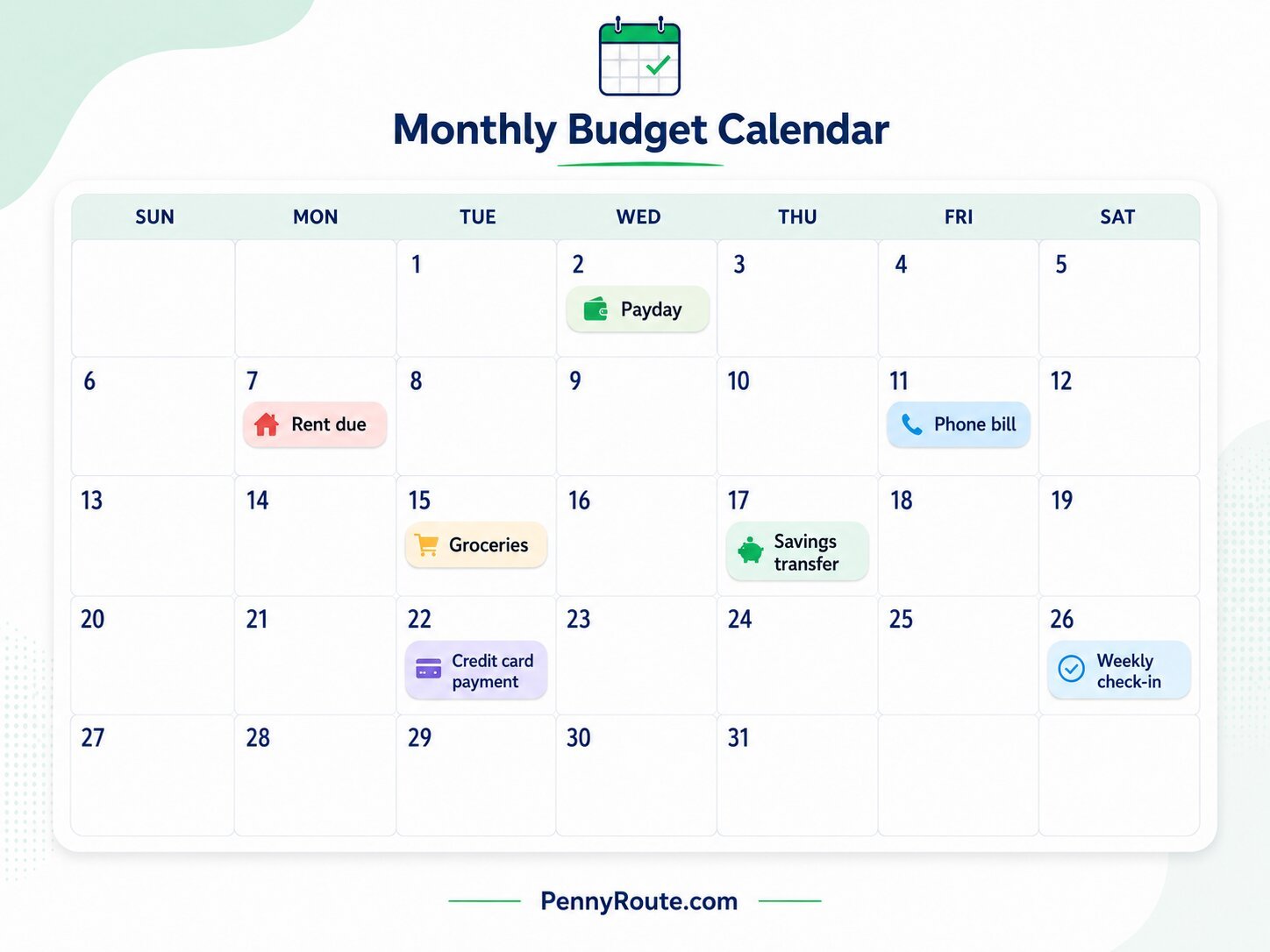
For example, your calendar may show:
- Paycheck on the 1st and 15th
- Rent due on the 1st
- Phone bill due on the 5th
- Credit card payment due on the 18th
- Savings transfer on the 20th
- Budget check-in every Sunday
You can make a budget calendar using a paper calendar, printable planner, spreadsheet, Google Calendar, or budgeting app. You do not need a perfect layout. It just needs to be easy enough for you to check and update.
A regular monthly budget helps you decide how much to spend. A budget calendar helps you decide when that money needs to move.
How a Budget Calendar Helps Your Monthly Budget
A monthly budget can tell you that your income covers your planned expenses. A budget calendar helps you see whether those expenses arrive at convenient times.
That matters when several bills fall close together or a large payment is due before your next paycheck.
A budget calendar can help you:
- see upcoming bills before they are due;
- match spending decisions with your actual paydays;
- spot weeks when cash flow will be tighter;
- keep recurring payments and automatic transfers visible.
For example, you might have enough income to cover the entire month but still have rent, insurance, and a credit card payment due within the same few days. Seeing those dates together gives you time to plan around that heavier stretch.
What to Put on a Budget Calendar
Your budget calendar should include the dates that affect when money comes in, when it needs to go out, and when you want to review the plan.
Income Dates
Add the days you expect money to arrive, such as:
- paychecks;
- freelance or side-hustle payments;
- benefit payments;
- other predictable income.
Bills and Required Payments
Include fixed or recurring payments with known due dates, such as:
- rent or mortgage;
- utilities;
- phone and internet;
- insurance;
- minimum debt payments;
- subscriptions.
Savings and Extra Debt Payments
Add planned transfers for:
- emergency savings;
- sinking funds;
- retirement contributions;
- extra debt payments.
Putting these on the calendar helps keep them from being treated as whatever is left at the end of the month.
Regular Spending Checkpoints
You do not need to schedule every purchase. Instead, add dates that help you manage flexible spending, such as:
- grocery shopping days;
- transportation or gas check-ins;
- weekly spending reviews.
Irregular or Annual Expenses
Add known expenses that do not happen every month, including:
- annual subscriptions;
- vehicle registration;
- school costs;
- holidays;
- planned medical expenses;
- other seasonal bills.
Budget Review Dates
Choose a regular time to check the calendar and update anything that has changed.
A short weekly review is usually enough to catch an approaching bill, a changed payment date, or a tighter-than-expected week.
How to Make a Budget Calendar Step by Step
1. Choose a Calendar Format
Use a format you will actually check, whether that is a paper calendar, spreadsheet, calendar app, or budgeting tool.
The format matters less than being able to see dates clearly and update them when something changes.
2. Add Your Paydays First
Start with the dates you expect income to arrive.
If you are paid weekly, every two weeks, twice a month, or monthly, mark each payday before adding expenses. This gives you a clearer picture of which paycheck needs to cover which part of the month.
If your income varies, use the calendar to track when money is expected to arrive. Choosing how much income to build your budget around is a separate decision.
3. Add Bills and Due Dates
Next, place your recurring bills on their actual due dates.
Use the dates from recent statements or account information rather than relying on memory. If a payment is automatic, mark that too so the money is not accidentally treated as available for something else.
4. Add Flexible Spending Checkpoints
Groceries, gas, and other everyday expenses usually do not have formal due dates, so you do not need to schedule every transaction.
Instead, add a few useful checkpoints, such as a weekly grocery day or a midweek spending review. This helps you see whether flexible spending is moving too quickly between paydays.
5. Schedule Savings and Debt Payments
Add planned savings transfers and extra debt payments to the calendar just like other money commitments.
Scheduling them around paydays can make it easier to see whether the timing works before the money is used elsewhere.
6. Review the Calendar Regularly
Check the calendar at least once a week and whenever a payday, bill, or planned expense changes.
If one week becomes crowded with payments, you can adjust flexible spending, move a non-urgent transfer, or plan ahead using money from an earlier paycheck.
The purpose is not to keep every date perfectly fixed. It is to see timing problems early enough to respond.
Budget Calendar Example for One Month
Here is a simple example for someone paid twice a month:
| Date | Money Event | Amount |
|---|---|---|
| May 1 | Paycheck | $1,800 |
| May 1 | Rent | $1,200 |
| May 3 | Car insurance | $140 |
| May 5 | Groceries | $120 |
| May 7 | Credit card payment | $100 |
| May 10 | Phone bill | $70 |
| May 15 | Paycheck | $1,800 |
| May 16 | Savings transfer | $200 |
| May 18 | Utilities | $160 |
| May 20 | Groceries | $120 |
| May 22 | Internet | $65 |
| May 27 | Extra debt payment | $150 |
The first paycheck has to cover several large expenses close together, while the second half of the month has more room.
That is the kind of timing issue a monthly total can hide. Seeing the dates together helps you decide whether to hold back part of an earlier paycheck, adjust flexible spending, or change the timing of a non-urgent transfer.
Simple Budget Calendar Template You Can Copy
You do not need a complicated setup. A basic budget calendar can use four columns:
| Date | Money Event | Expected Amount | Actual Amount / Notes |
|---|---|---|---|
| Paycheck | |||
| Rent or mortgage | |||
| Utility bill | |||
| Grocery checkpoint | |||
| Savings transfer | |||
| Debt payment | |||
| Other planned expense |
Add each payday, bill, transfer, and useful spending checkpoint in date order.
The Expected Amount column helps you plan before the month starts. The final column gives you room to record an actual amount, note a changed due date, or flag something that needs attention.
If you prefer a spreadsheet, the same structure works in Excel or Google Sheets. A paper calendar can work just as well if you mainly want to see dates and amounts at a glance.
Budget Calendar vs. Monthly Budget
A monthly budget and a budget calendar solve different parts of the same problem.
| Monthly Budget | Budget Calendar |
|---|---|
| Shows how much income you have and how you plan to use it | Shows when income arrives and when expenses are due |
| Helps you divide money across bills, spending, savings, and debt | Helps you manage the timing between paydays and payments |
You can use either one on its own, but they are more useful together.
Your monthly budget answers “Can I afford this within the month?” Your budget calendar answers “When does this money need to be available?”
Who Should Use a Budget Calendar?
A budget calendar is especially useful when the timing of your income and expenses matters as much as the monthly totals.
It can be a good fit if you:
- have several bills due close together;
- are paid weekly, every two weeks, or twice a month;
- have little room between paychecks and major expenses;
- receive income on changing or irregular dates;
- manage shared household bills;
- rely on automatic payments or recurring transfers.
Sometimes the monthly numbers work, but the timing between paydays and bills does not. A budget calendar helps make that mismatch easier to spot before it causes a problem.
Should You Use a Paper, Spreadsheet, or App Budget Calendar?
There is no perfect budget calendar format. The best one is the one you will actually check before spending money.
Here are a few simple options:
| Option | Best For | Watch Out For |
|---|---|---|
| Paper calendar | People who like seeing everything on a wall, desk, or planner | Harder to update when you are away from home |
| Spreadsheet | People who like totals, balances, and simple formulas | Can become too detailed if you add too much |
| Google Calendar | People who want reminders before bills are due | Notifications are easy to ignore if you get too many |
| Budgeting app | People who want digital tracking and automation | Some apps cost money or take time to set up |
| Printable template | People who want a simple monthly layout | You may need to print a new one each month |
If you are just starting out, keep it simple. A paper calendar or basic spreadsheet is enough for most beginners.
Once the habit is working, you can move to a budgeting app or digital calendar if you want reminders, alerts, or easier updates.
A Budget Calendar Makes Timing Easier to Manage
When paydays and bills are visible on the same calendar, it becomes easier to see which weeks need more planning and which expenses can wait.
Keep the system simple enough to update. A budget calendar is most useful when it helps you spot a tight stretch early and make adjustments before the timing becomes a problem.