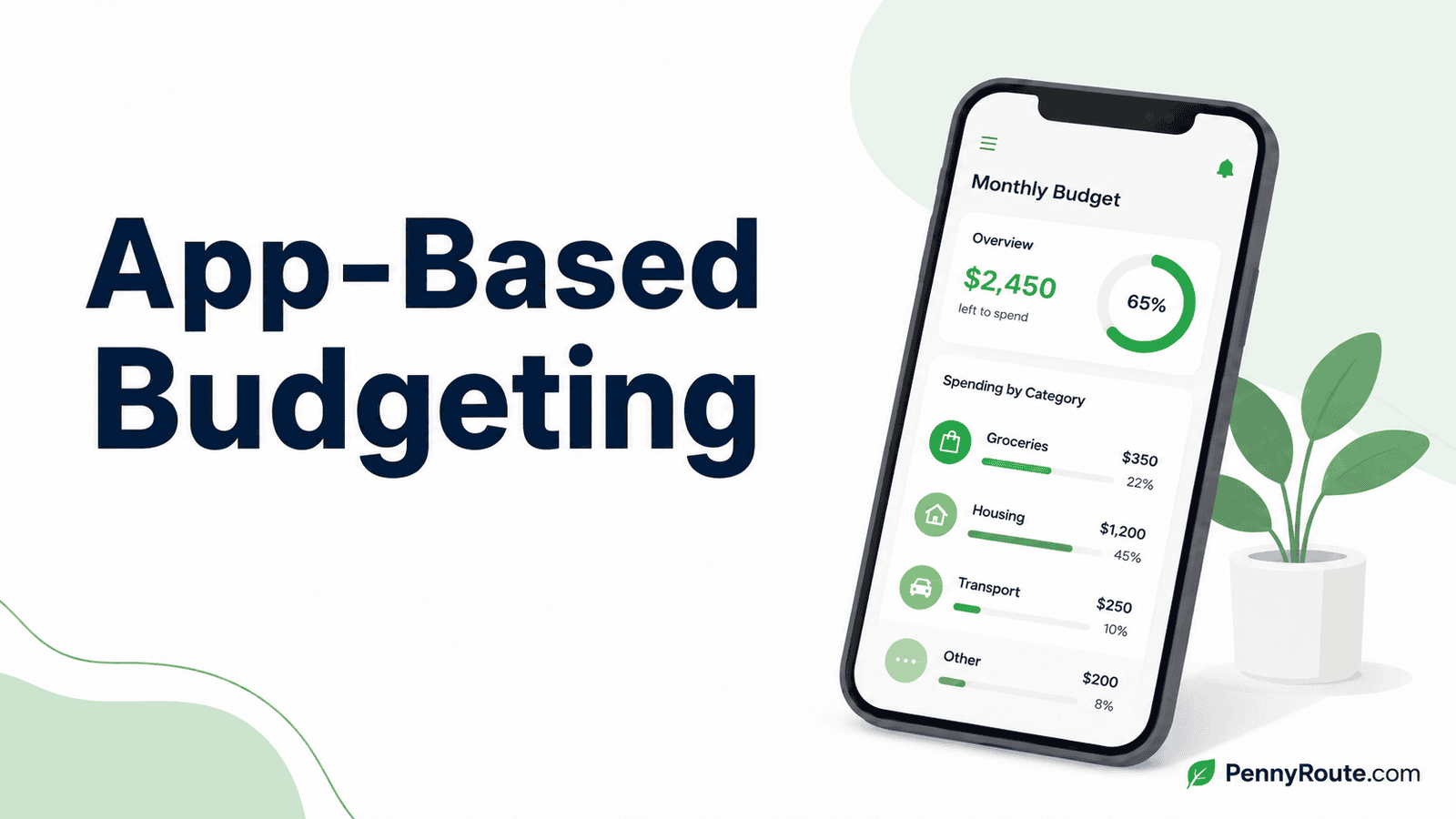
A budgeting app can help you organize income, bills, spending, savings, and financial goals in one place. But downloading an app does not create a useful budget by itself.
The app is the tool. Your budgeting method, category limits, savings targets, and spending decisions are the plan behind it.
The best setup is usually simple. Choose an app that supports how you want to budget, track only the information you need, and review it often enough to catch problems before they disrupt the month.
Disclaimer: This content is for informational purposes only and does not constitute financial advice. Choose budgeting tools and features that fit your financial situation, and review an app’s terms, privacy practices, and security options before connecting financial accounts.
Quick Overview
- A budgeting app is a tool for managing your budget, not a replacement for choosing a budgeting method that fits you.
- You can track transactions manually or connect financial accounts, depending on how much automation and control you want.
- Keeping categories, alerts, and features simple can make the app easier to maintain over time.
What Does App-Based Budgeting Mean?
App-based budgeting means using a digital tool to organize, track, and review your budget.
The app may help you:
- Import or enter transactions
- Sort spending into categories
- Track bills and due dates
- Monitor savings and debt goals
- Compare planned amounts with actual spending
- Review spending patterns over time
The app does not replace the budgeting method behind it. You still need to decide how much to spend, save, and put toward debt.
For example, you might use an app to follow zero-based budgeting, the 50/30/20 method, envelope budgeting, or a simple custom plan.
The app is the system you use to manage the information. The budget is the financial plan you are trying to follow.
How to Use a Budgeting App
A useful setup starts with a clear plan. You do not need to configure every feature on the first day.
Add Your Income
Enter your monthly take-home pay. If your income changes substantially from month to month, use an amount you can realistically plan around rather than building the app around an unusually strong month. A budget for irregular income can help you choose that planning number more carefully.
Add Essential Bills and Regular Expenses
Enter recurring costs such as:
- Housing
- Utilities
- Transportation
- Insurance
- Minimum debt payments
- Subscriptions
- Childcare or other required expenses
Include due dates when the app supports them. This makes upcoming obligations easier to see.
Create a Few Useful Spending Categories
Start with broad categories such as food, transportation, personal spending, and entertainment.
Avoid creating a separate category for every small purchase. Add more detail only when it helps you make better decisions.
Add Savings and Debt Goals
Include goals such as:
- Emergency savings
- Sinking funds
- Planned purchases
- Retirement contributions
- Extra debt payments
Set amounts that fit your current income and required expenses.
Choose How to Track Transactions
You can connect your bank and credit accounts for automatic transaction imports or enter purchases manually.
Automatic tracking may save time, while manual tracking gives you more direct control. The next section will compare both options in more detail.
Review the App Regularly
Check the app often enough to catch transaction errors, category problems, or spending changes before the month is over.
Keep the first setup simple. Add more categories, alerts, or goals only when they make the budget easier to follow.
Choose a Budgeting Method Before Choosing an App
A budgeting app works best when you already know how you want to organize your money.
The app should support the method, not choose the method for you. For example:
- 50/30/20 budgeting: Look for an app that lets you group spending into needs, wants, and savings or debt.
- Zero-based budgeting: Choose an app that allows every dollar of income to be assigned.
- Envelope budgeting: Use an app with category limits or digital envelopes.
- Pay yourself first: Look for goal tracking and automatic savings features.
- Simple custom budgeting: Choose an app that lets you create your own categories without forcing a rigid system.
Before downloading an app, decide how much detail you want, how often you will review it, and whether you prefer automatic or manual transaction tracking.
An app with more features is not always better. The right one is the app that supports your budgeting method without making the process harder to maintain.
Manual Tracking vs. Connected Accounts
Budgeting apps usually track transactions in one of two ways: you enter them manually, or you connect financial accounts so transactions import automatically.
| Manual tracking | Connected accounts |
|---|---|
| You enter purchases yourself | Transactions import from linked accounts |
| Gives you direct control over each entry | Saves time and reduces data entry |
| May increase awareness of spending | Gives a broader view across accounts |
| Requires consistent updates | May miscategorize transactions |
| Does not require sharing bank-login access with the app | Requires reviewing the app’s connection and privacy practices |
Manual Tracking
Manual tracking may work well if you prefer to record purchases yourself or do not want to connect financial accounts.
It can make spending more noticeable because each transaction requires an active step. However, the budget becomes less accurate when entries are delayed or forgotten.
Connected Accounts
Connected accounts can save time by importing transactions from checking accounts, credit cards, and other supported accounts.
You still need to review imported transactions. Apps may place purchases in the wrong category, duplicate entries, or take time to reflect pending transactions.
Which Option Is Better?
Choose the approach you are more likely to maintain.
Manual tracking may suit someone who wants close control and has a limited number of transactions. Connected accounts may suit someone who wants automatic updates and is willing to review imported data regularly.
Some apps also allow a mixed approach, such as connecting a checking account while entering cash purchases manually.
How to Keep Your Budgeting App Simple
A budgeting app should reduce confusion, not create another system you have to manage.
Start with only the features you need. You can add more later if they improve the way you budget.
Use One Main App
Using several budgeting apps at the same time can lead to duplicated transactions, conflicting category totals, and extra maintenance.
Choose one main app for your budget. Use other financial tools only when they serve a separate purpose, such as credit monitoring or investment tracking.
Keep Categories Broad at First
Begin with a manageable set of categories, such as:
- Housing
- Utilities
- Food
- Transportation
- Insurance and healthcare
- Debt payments
- Savings
- Personal and flexible spending
Split a category only when more detail would help you make a decision. For example, you may separate groceries from dining out if restaurant spending regularly exceeds the amount planned.
Limit Alerts and Notifications
Keep alerts that support a useful action, such as:
- A bill is due soon
- A category is close to its limit
- An account balance is low
- A large or unusual transaction appears
Turn off notifications that you regularly ignore. Too many alerts can make the important ones easier to miss.
Review the App on a Regular Schedule
You do not need to check your budgeting app every time you make a purchase.
A quick review once a week or around payday can be enough to confirm that transactions are categorized correctly, see what has changed, and decide whether any part of the budget needs attention.
The point is to check often enough that the information is still useful, without turning the app into something you feel obligated to watch constantly.
Remove Features You Do Not Use
Some apps include investment tools, credit monitoring, subscription tracking, savings challenges, and detailed reports.
These features may be helpful, but they are not necessary for everyone. Hide or ignore anything that makes the app harder to navigate without improving your budget.
A simple setup is easier to maintain. The app should show you what needs attention without requiring constant updates.
When a Budgeting App Works Well
A budgeting app may work well when you want a convenient way to review your money in one place.
It can be especially useful when:
- You use several bank or credit accounts
- You want automatic transaction imports
- You prefer digital category tracking
- You need bill reminders
- You want to monitor savings or debt goals
- You are comfortable checking the app regularly
Apps can also help when you want faster feedback. Instead of waiting until the end of the month, you can see when a category is getting close to its limit or when a recurring charge appears.
The app is most useful when you review the information and act on it. Automatic tracking alone does not prevent overspending or fix a budget that no longer matches your income.
When a Budgeting App May Not Be Enough
A budgeting app can organize your money well, but it cannot fix every budgeting problem on its own.
Your Budget Does Not Balance
If essential expenses and required payments regularly exceed the income available, better tracking will not solve the underlying shortfall.
The app can help you see where the pressure is, but the next step is adjusting the budget itself rather than adding more categories, alerts, or reports.
Your Finances Need a More Specific Plan
Some situations need more than a general budgeting dashboard.
Irregular income, several debts, or complicated shared finances can require a more focused approach alongside the app. The tool can still help with tracking, but it should support the plan rather than replace it.
The App Does Not Fit How You Actually Manage Money
Even a feature-rich app is not useful if you ignore its alerts, dislike its categories, stop checking it, or cannot trust imported transactions.
If that keeps happening, simplifying the setup or switching to a different tracking approach can be more useful than forcing yourself to use a tool that does not fit.
Budgeting App vs. Spreadsheet
Budgeting apps and spreadsheets can both help you manage a budget, but they suit different preferences.
| Budgeting app | Spreadsheet |
|---|---|
| May import transactions automatically | Usually requires manual entry |
| Offers mobile access and alerts | Gives more control over formulas and layout |
| Can categorize spending quickly | Can be customized around your exact budget |
| May require a subscription | Can often be created at little or no cost |
| Depends on the app’s features and connection options | Depends on how comfortable you are building and updating it |
A budgeting app may be better when you want convenience, automatic updates, and quick access from your phone.
A spreadsheet may be better when you want full control over categories, formulas, and monthly comparisons without connecting financial accounts.
You can also combine both. For example, use an app for transaction tracking and a spreadsheet for monthly planning or longer-term goal reviews.
Choose the option that gives you enough useful information without creating more maintenance than you can keep up with.
Privacy and Security Questions to Consider
If a budgeting app connects to your financial accounts, take a few minutes to understand what access you are giving it and how that access is managed.
Before linking an account, check:
- what financial information the app collects;
- how it connects to your bank or card accounts;
- whether you can use the app manually instead;
- whether multifactor authentication is available;
- how your data is used or shared;
- how to disconnect linked accounts;
- whether deleting your account also removes stored data;
- whether the app explains how sensitive information is protected.
Use a unique password for the app, enable multifactor authentication when available, and review connected accounts occasionally so old or unused access does not remain in place.
Use the App to Support the Budget
A budgeting app can make it easier to organize transactions, monitor categories, track goals, and review spending in one place.
The app works best when it supports a budgeting method you understand and a routine you can maintain. Start with a simple setup, review it regularly, and add features only when they improve the way you manage money.
Automatic tracking can save time, but the information still needs your attention. A useful app should help you make clearer decisions without turning budgeting into another complicated task.