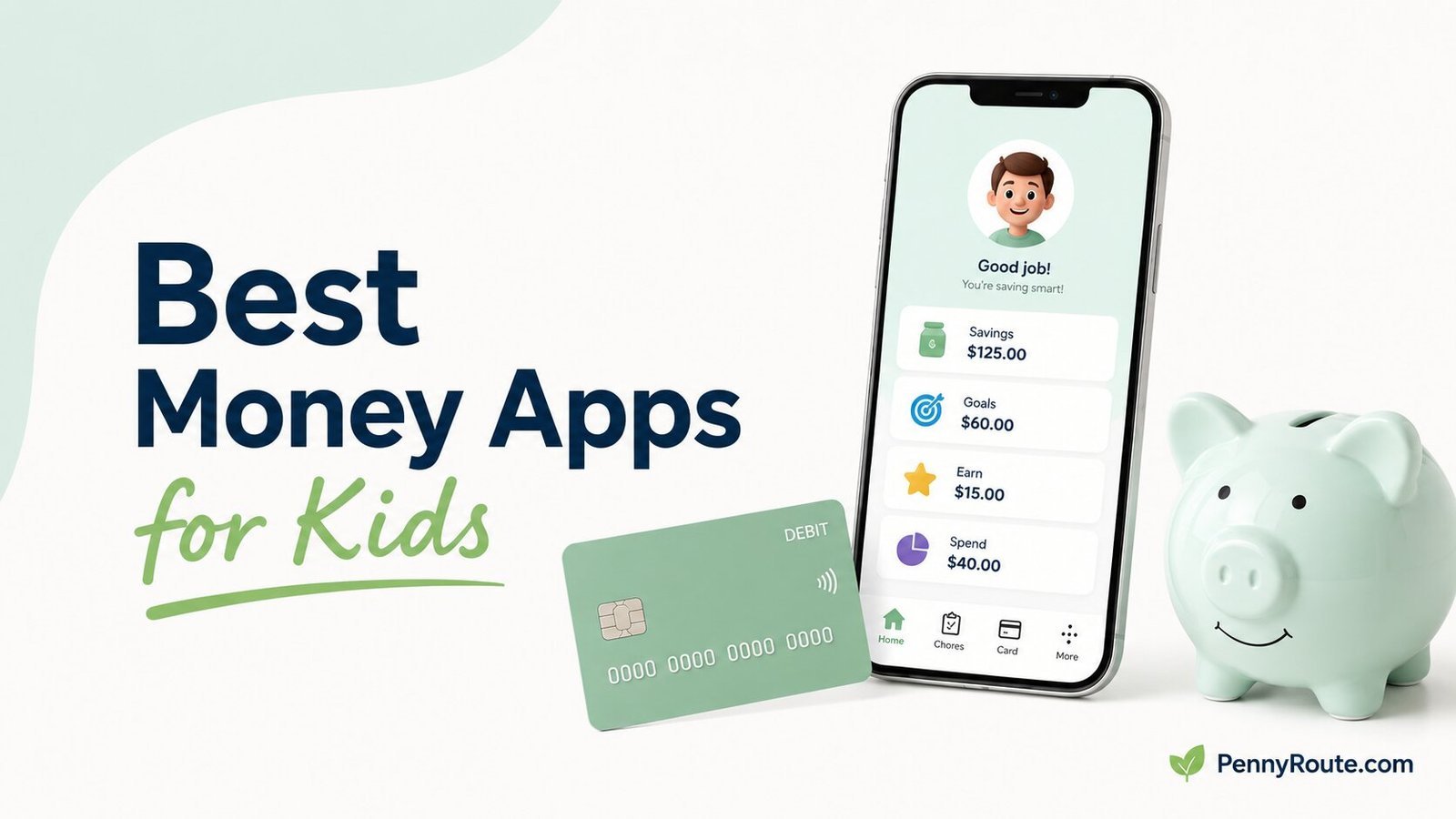
Money apps for kids can do very different things. Some help parents manage allowance and chores, while others give kids a debit card, savings goals, spending controls, and more independence as they get older.
That means the right app depends less on which one has the longest feature list and more on what your child is ready to handle now. A younger child may only need a simple way to track saving and spending, while a teen may benefit more from supervised card use and greater control over their own money.
Disclaimer: This content is for informational purposes only and does not constitute financial advice. Features, fees, eligibility, account protections, and parental controls can vary by provider and may change over time. Review the current terms before opening or funding an account for your child.
Best Money Apps for Kids at a Glance
| App | Best for | Starting cost |
|---|---|---|
| Greenlight | All-in-one family money management | $5.99/month |
| Acorns Early | Money lessons with supervised spending | $8/month |
| BusyKid | Chores and allowance | $4/month billed annually |
| FamZoo | Flexible money systems for multiple kids | $5.99/month |
| Modak | No-monthly-fee kids debit card | $0 monthly |
| Till | Free family banking with flexible contributions | Free plan |
| Step | Teens ready for more independence | $0 monthly |
| Revolut Kids & Teens | Families already using Revolut | Depends on parent plan |
Kids Money Apps Do More Than One Job
The strongest kids money apps usually combine several functions rather than sticking to just one. A single app might handle allowance, chores, saving goals, debit-card spending, and parent oversight at the same time.
What matters is which part of that mix your family will actually use.
Allowance and Chore Management
Apps such as BusyKid, Greenlight, Acorns Early, Modak, and Till can help connect chores or regular allowance with saving and spending. The difference is how much structure they add around earning, transferring, or dividing that money.
Supervised Spending
Many kids money apps include a debit card or spending account with parent controls. Depending on the provider, parents may be able to set limits, receive transaction alerts, freeze the card, or control where money can be spent.
This is often the point where a kids money app becomes more useful than a simple allowance tracker.
More Independence for Teens
Older kids may need fewer reminders and more room to manage everyday spending themselves. Apps such as Step are built more directly around that transition, while other family apps let parents gradually loosen controls as a child becomes more comfortable handling money.
Best Money Apps for Kids in 2026
Greenlight
Best for: Families that want one app for spending, saving, allowance, and parental oversight
Greenlight brings several parts of a child’s money routine into the same app. Parents can automate allowance, manage chores, set spending controls, receive purchase notifications, and give kids their own debit cards. Kids can also separate money for saving and work toward savings goals.
Its strongest case is convenience rather than simplicity. The Core plan starts at $5.99 per month for the family and covers up to five kids, while higher-priced plans add more features.
A family using the card, allowance, saving, and controls together can get more from that setup than one looking for only a basic way to send a child spending money.
Good fit if…
- Several parts of your child’s money routine are easier to manage in one place.
- More than one child could use the same family plan.
- Close oversight still matters while your child starts spending independently.
- You expect to use enough of the broader toolkit to justify a subscription.
You may prefer another option if…
- Only a simple way to send spending money is needed.
- A recurring family subscription would outweigh the features you would use.
- Chores and allowance are already handled comfortably outside an app.
- An older teen would benefit more from a lighter-touch money account.
Acorns Early
Best for: Families that want money lessons tied to real spending and allowance
Acorns Early combines a kids debit card with chores, automatic allowance, saving tools, and Money Missions designed to teach financial concepts.
Parents can also receive spending notifications, lock the card, and block certain spending categories, so the lessons sit alongside real decisions about earning, saving, and spending.
That education-first approach gives Acorns Early a clearer role than simply providing another supervised debit card. Early Lite costs $8 per month for up to four kids, so its value is stronger when the learning component will actually be used. Families interested in investing should also note that kids investing is part of the higher-priced Acorns Gold plan rather than Early Lite.
Good fit if…
- Money conversations are easier when your child can put the lesson into practice.
- Your child is still developing the basics of earning, saving, and everyday spending.
- Several children can share the family plan without separate subscriptions.
- Built-in guidance would be used alongside the debit card rather than ignored.
You may prefer another option if…
- A card and basic parental controls are all your family is likely to use.
- Financial education is already handled well outside the app.
- A lower-cost or no-monthly-fee option is the priority.
- Investing for a child is the main reason you are considering the service.
BusyKid
Best for: Families that want chores and allowance closely connected
BusyKid is built around a simple sequence: parents assign chores, kids complete them, and allowance is paid based on that work. Parents can use BusyKid’s suggested chore amounts or set their own, while kids can divide what they earn among spending, saving, sharing, and investing.
That makes BusyKid more chore-centered than the broader family money apps in this list. The $48 annual subscription can cover up to five children, so the strongest value is for families that already want chores to play a regular role in allowance rather than simply sending money to a child whenever it is needed.
Good fit if…
- Allowance is meant to follow completed household responsibilities.
- A regular weekly routine would make allowance easier to manage.
- Several children can use the same chore-and-allowance system.
- Your child is ready to decide what to do with money after earning it.
You may prefer another option if…
- Allowance is given independently of chores in your household.
- Money is usually sent as needed rather than on a weekly schedule.
- A simple spending card matters more than an earning routine.
- The chore system would add work your family is unlikely to maintain.
FamZoo
Best for: Families that want flexible money rules across multiple kids and accounts
FamZoo gives parents more control over how money is organized across the household. You can automate allowance, connect chores with payments, split money across spending, saving, and giving accounts, pay parent-funded interest, and create separate rules for different children.
Families can also use prepaid card accounts, IOU accounts that track money held elsewhere, or a mix of both. That flexibility is FamZoo’s main distinction.
It can suit households that want to build their own system instead of following a simpler preset structure, and the subscription price is charged per family rather than per child. The tradeoff is that the extra setup and customization can be more than necessary when the main goal is simply giving one child a card with basic controls.
Good fit if…
- Different children need different money rules or account setups.
- A larger household would benefit from family-wide pricing.
- Your system includes more than just spending money and a debit card.
- You prefer to shape the money routine around your family rather than a fixed app workflow.
You may prefer another option if…
- One child only needs a straightforward spending card.
- Minimal setup is more important than customization.
- A no-monthly-fee option is the priority.
- Most of the extra money rules and account types would go unused.
Modak
Best for: Families that want a kids debit card without a monthly subscription
Modak stands out because families can start with a kids Visa debit card without taking on another monthly subscription. The free MoBasic plan includes the card, money transfers, auto-reload, transaction alerts, card freezing, ATM access, and Modak’s MBX rewards.
The free tier is best viewed as a spending-and-supervision option rather than the full Modak experience. Chores, automated allowance, savings goals, co-parenting, and more advanced controls are part of the $2.99-per-month MoSilver plan. That distinction matters if you are comparing Modak with subscription apps mainly because you want those family-management tools.
Good fit if…
- A monthly fee is hard to justify for a child’s first spending card.
- Basic card access and parent visibility cover most of what your family needs.
- Several children could eventually use cards under the same parent account.
- You would rather start simple and add paid money-management tools later.
You may prefer another option if…
- Chores and allowance need to be included at no ongoing cost.
- Savings goals are an important part of the setup from day one.
- More detailed spending controls matter more than keeping the basic plan free.
- Your family would immediately need enough premium features to reduce the free plan’s advantage.
Till
Best for: Families that want flexible money contributions from parents, relatives, and other trusted adults
Till combines a kids debit card with allowance, chores, savings goals, spending alerts, and parental oversight, but its family contribution options are what make it stand out here. Parents can invite other adults into the family setup, while Give Link lets friends and relatives send money to a child without creating a Till account.
The core service can be used without a monthly subscription, including a free digital card. Physical cards cost $5 each on the free plan, while Till Premium adds extras such as free physical cards, cash back, savings rewards, and advanced spending controls. That makes the free tier more compelling when flexible money movement matters more than premium rewards.
Good fit if…
- Grandparents or relatives regularly contribute to your child’s spending or savings.
- More than one trusted adult helps manage money for the same child.
- A free digital card covers how your child is likely to spend.
- Your family wants allowance and saving tools without starting with a paid plan.
You may prefer another option if…
- A physical card needs to be included at no extra cost on the free plan.
- Advanced spending controls are important from the beginning.
- Outside family contributions are unlikely to be part of the money routine.
- The premium rewards are appealing enough that a subscription would be needed anyway.
Step
Best for: Teens ready for more independent spending and money management
Step is aimed more directly at teens who are starting to manage money with less day-to-day involvement from a parent. The account supports spending, saving, direct deposit, transfers, and a Step Visa Card without a monthly subscription or minimum balance requirement.
Its more unusual feature is credit building. The Step Card uses a secured structure that limits spending to money already available in the account, while Step can report eligible activity to help establish credit history.
That gives older teens a different kind of next step than apps centered primarily on chores or allowance, although parents should review how the credit-building feature works before treating it as the main reason to open the account.
Good fit if…
- Your teen is beginning to manage paychecks or everyday spending more independently.
- Chore tracking is becoming less important than real-world money management.
- A recurring family subscription no longer makes sense for the features being used.
- Starting a credit history early is relevant to your teen’s next financial stage.
You may prefer another option if…
- Your child still benefits from a structured chores-and-allowance routine.
- Detailed parent-directed spending rules are a major priority.
- Money lessons need to be built directly into the family routine.
- A younger child is not yet ready for a more independent account setup.
Revolut Kids & Teens
Best for: Families already using Revolut who want supervised digital spending for a child or teen
Revolut Kids & Teens gives a child their own app and prepaid debit card while keeping the account linked to a parent’s Revolut account. Parents can add money, set spending limits, receive transaction notifications, and freeze the card, while kids can track spending and use savings features inside their own app.
Its strongest case is convenience for a household already using Revolut. One Kids & Teens account is included with the Standard plan, while adding multiple children can require a higher plan.
Because the child account depends on the parent’s Revolut setup, it is less compelling as a standalone choice for a family that would otherwise have no reason to use Revolut.
Good fit if…
- Revolut is already part of the household’s everyday money setup.
- Your child needs their own app while you retain visibility and controls.
- Regular transfers or allowance can stay inside the same financial ecosystem.
- Supervised card spending matters more than a chore-heavy money system.
You may prefer another option if…
- Opening a separate Revolut account for the parent would add unnecessary complexity.
- Several children need accounts without moving to a higher plan.
- Chores and allowance management are central to how your family handles money.
- A standalone kids money service would fit more naturally with your existing accounts.
Which Features Matter at Different Ages?
The right app can change as your child gets older. A feature that is useful at age 8 may matter much less by the time they are earning their own money as a teenager.
Younger Kids
For younger children, simplicity usually matters most. A basic allowance routine, clear savings goals, and strong parent involvement can be more useful than a long list of spending controls.
At this stage, the app should make money easy to understand rather than giving the child too many choices at once.
Preteens
Preteens are often ready for more hands-on practice with spending. A debit card, purchase alerts, simple limits, and a way to separate spending from saving can help them make everyday decisions while parents still stay closely involved.
This is also the age when allowance and chore tools can still be useful if they are part of your family’s routine.
Teens
Older teens usually benefit from more independence and fewer parent-managed steps. Features such as direct deposit, easier transfers, broader spending access, and stronger account-management tools can become more important than chore tracking.
Some teen-focused accounts also include credit-building features, but those deserve a closer look before becoming a deciding factor. The better fit is usually the account that matches how much responsibility your teen is actually ready to handle.
What Parents Should Compare Before Choosing
Once you have narrowed the options by your child’s age and readiness, compare the details that will affect how the app works in everyday life.
Total Cost
Look beyond the headline monthly price. Check whether the fee covers the whole family, how many kids are included, whether physical cards cost extra, and whether useful features sit behind a higher-priced plan.
A free app can still have optional costs, while a paid family plan can be reasonable if several children will use it.
Parent Controls and Visibility
Some parents want detailed spending limits and instant alerts. Others only need to see transactions and freeze the card if necessary.
Choose the level of oversight that matches your child’s current independence rather than paying for controls you are unlikely to use.
How Money Gets Added
Consider how allowance, spending money, gifts, and eventually paychecks will reach the account. Automatic allowance can simplify a weekly routine, while direct deposit becomes more useful for teens with a job.
If grandparents or other relatives regularly contribute, check whether they can send money easily without creating their own account.
Spending and ATM Rules
Check where the card can be used, whether parents can restrict certain purchases, and what happens at an ATM.
ATM access can be useful for an older child, but fees, withdrawal limits, or network restrictions can make two otherwise similar accounts work quite differently.
Saving and Allowance Tools
A family that already handles chores and allowance another way may not need those features inside the app. If the app will become part of the routine, though, automatic payments, savings goals, and separate money categories can reduce manual tracking.
The useful question is not how many tools the app includes, but which ones will actually become part of your child’s money habits.
How Many Kids the Plan Covers
Family pricing matters more when several children will use the service. Check whether additional kids are included, require extra cards, or push the account into a more expensive plan.
A higher monthly price can sometimes work out better than a cheaper-looking option with per-child costs.
Whether the Account Can Grow With Your Child
Think beyond the first few months. A younger child may start with allowance and supervised purchases, while a teenager may eventually need direct deposit, easier transfers, or more independent account access.
Choosing an app that fits the next stage can reduce the need to switch accounts later, but there is little benefit in paying now for advanced features your child will not use for years.
Are Free Kids Money Apps Enough?
A free kids money app can be enough if the main goal is simple: give your child a card, add spending money, monitor transactions, and keep basic controls in place.
The limits usually become more noticeable when you want the app to handle more of the family routine. Features such as automated allowance, chore management, savings goals, advanced spending controls, or multiple parent roles are more likely to sit behind a paid plan.
That does not make a subscription automatically better. A free plan is good value when it covers the features your family will actually use. A paid plan makes more sense when the added tools replace enough manual work or provide controls that matter to you.
The better comparison is not simply free versus paid. It is whether the features included at that price match how your child will earn, save, and spend money.
What About Privacy and Account Safety?
A kids money app can handle sensitive information about both you and your child, so privacy and account protection deserve a closer look before you sign up.
Check What Data the App Collects
Review what personal information the company collects, how it uses or shares that data, and what controls are available to parents. This is especially important if the app includes rewards, educational content, or other features beyond the financial account itself.
For children under 13, federal privacy rules provide additional protections around the collection and use of personal information online. The app’s privacy policy should explain how those protections are handled in practice.
Understand Where the Money Is Held
Some kids money apps are fintech companies that work with partner banks rather than banks themselves. That can still allow eligible funds to receive FDIC insurance, but the details depend on how the account or prepaid card is structured and registered.
The CFPB explains how FDIC insurance can apply to money held on prepaid cards. Before adding money, check the provider’s current account agreement and banking partner rather than assuming every balance is protected in the same way.
Look at the Security Controls
Everyday controls can matter more than broad security claims. Useful protections include card freezing, transaction alerts, authentication options, and a clear process for reporting unauthorized transactions.
A familiar brand name alone is not enough. Check the current privacy policy, account terms, banking arrangement, and security controls for the specific plan you are considering.
Choosing the Right Kids Money App
The right app should match your child’s current level of independence and the way your family already handles money.
Focus on the few features you will actually use, then compare cost, controls, and how easily the app fits into everyday life. The best choice is not the one with the most features. It is the one that makes managing and practicing money simpler for your family.